
Don’t Want Everyone to See Your Followers? Here’s What You Can Do on Instagram

Privacy on Instagram has become a growing concern. Many users ask, can you hide followers on Instagram without making major changes to their account? Whether you’re protecting personal relationships, maintaining professional boundaries, or simply valuing privacy, understanding Instagram ’s follower visibility rules is essential.
A common question is can followers be hidden on Instagram with a simple switch. Unfortunately, it’s not that straightforward. Instagram offers some privacy controls, but they don’t work exactly how many users expect.
This guide explains what Instagram actually allows, how you can limit who sees your followers, and how tools like an Instagram Follower Checker, can help identify follower information when visibility is restricted.
Can You Hide Followers on Instagram ?
The direct answer to can followers be hidden on Instagram depends on what you mean by “hidden.” Instagram doesn’t offer a specific feature to hide your follower list while keeping your account public. However, you can control follower visibility through account privacy settings.
What Instagram allows:
Making your account private hides your follower list from non-approved followers. Only people you accept as followers can see who follows you and who you follow. This provides the most comprehensive follower privacy Instagram officially offers.
What Instagram doesn’t allow:
You cannot selectively hide followers from some people while showing them to others. You cannot hide your follower list while keeping your account public. Instagram doesn’t provide granular controls for follower list visibility separate from overall account privacy.
This binary approach frustrates users wanting nuanced privacy control. Many people need public visibility but prefer hiding follower lists from certain viewers. Personal users might want friends to see posts but not their complete social network. Instagram ‘s current architecture doesn’t accommodate these preferences through official features.
Understanding these limitations helps you set realistic expectations about Instagram privacy and choose the approach that best matches your needs.
Why People Want to Hide Their Followers
Understanding the motivation behind hiding followers reveals why this privacy concern matters to so many Instagram users across different situations.
Competitive intelligence protection: Business owners and content creators don’t want competitors accessing their follower lists. Competitors could identify your audience demographics, target them with similar content, or analyze which followers engage most with your posts. Hiding followers protects your community from being analyzed or approached by competitors looking to understand your success.
Personal privacy preferences: Many people value privacy about their social connections. Hiding follower lists prevents acquaintances from scrolling through your connections, making assumptions about your relationships, or seeing the full scope of your social network without permission.
Professional discretion: Users maintaining professional accounts don’t want everyone seeing every personal connection. Hiding who you follow prevents questions about following certain accounts, keeps work and personal life separate, and maintains clear professional boundaries on the platform.
Social comparison reduction: Visible follower lists create comparison culture and judgment. People analyze follower counts, compare whose connections seem more impressive, and create unnecessary social anxiety. Hiding followers reduces these superficial metrics from defining social worth or success.
Content privacy preferences: People follow accounts related to personal interests, hobbies, or communities they prefer keeping private. Hiding who you follow protects these personal choices from judgment or unwanted questions about why you follow certain content.
Making Your Account Private
The simplest and most effective way to hide your followers is switching to a private account.How It Works
- Go to Profile → Menu → Settings → Privacy
- Turn on Private Account
- New users must send follow requests
- Non-followers see only your profile photo, bio, and follower count
Only approved followers can see your posts, stories, and follower list.
Removing Specific Followers
If you don’t want to fully privatize your account, you can remove individual followers. How to Remove a Follower
- Go to your profile
- Tap Followers
- Find the user
- Tap the three dots → Remove
They won’t be notified. This gives limited control but doesn’t hide your follower list from everyone—only from removed users.
Viewing Followers When Privacy Is Enabled
Sometimes, you may want to see someone else’s followers—especially for business research or competitive analysis. Instagram ’s native interface blocks access when accounts are private. This is where tools like Peekviewer come in.
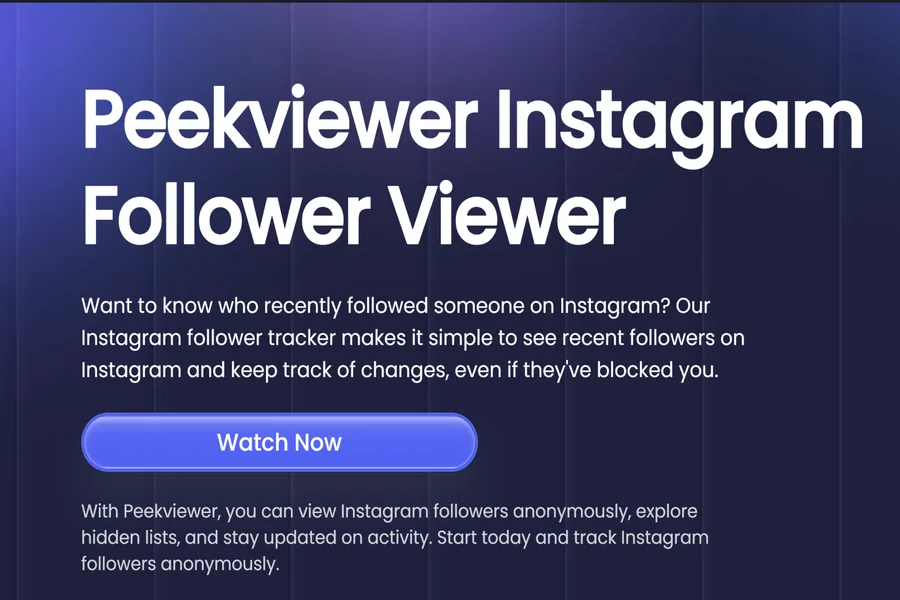
Peekviewer functions as an Instagram follower viewer allowing users to analyze follower lists even when privacy settings limit visibility. It’s commonly used for:
- Competitive research
- Audience analysis
- Market insights within specific industries
Used responsibly, tools like Peekviewer help professionals understand follower trends without altering their own privacy settings.
Verdict
Can you hide followers on Instagram ? Yes—but only by making your account private, which hides your follower list from non-approved users. Can followers be hidden on Instagram selectively? No. Instagram doesn’t offer granular follower visibility controls. Your account is either public with visible followers or private with restricted access.
For users who need to analyze follower data for legitimate business or research purposes, tools like Peekviewer, an advanced Instagram Follower Checker, provide a way to view follower information even when standard privacy settings block access.